
How to Create Batch Apex in Salesforce: A Practical Guide with an Example
Learn how to create and schedule Batch Apex to process large volumes while respecting limits and ensuring Salesforce performance.

Have you ever needed to process thousands or even millions of records in a Salesforce org? If so, you know that workloads this heavy cannot be handled with simple triggers or anonymous executions. Platform limits exist to protect the entire environment and ensure stable performance for everyone. But what happens when a repetitive data-adjustment or cleanup task arises that seems impossible to complete manually?
When volume grows, relying on a manual process is no longer an option.
It is precisely in this context that Batch Apex emerges, a powerful approach for handling large data volumes in stages without running into Salesforce limits so easily. Experienced professionals, such as those at WeeNow, have already experienced scenarios where this technique transformed the day-to-day work of teams in financial services, education, construction, energy, agriculture, and retail, automating processes that were previously impossible.
 What is Batch Apex and why use it?
In Salesforce, bulk operation execution is deliberately limited by governor limits, which ensure system stability for all customers. Imagine trying to update half a million accounts at once via standard Apex: you would probably receive errors almost immediately.
Batch Apex was designed to work around these limits in a structured way. It splits large operations into small lots (called batches) and processes each lot separately, respecting CPU, SOQL, DML, and memory usage limits. In other words, you can process millions of records without risking a system freeze or exceeding critical restrictions.
The real advantage? Automating critical business tasks in organizations of any size while ensuring resilience. In Brazil, sectors such as education and energy increasingly depend on advanced data processing, as discussed in the article Big Data Analytics and local government.
How the Batch Apex lifecycle works
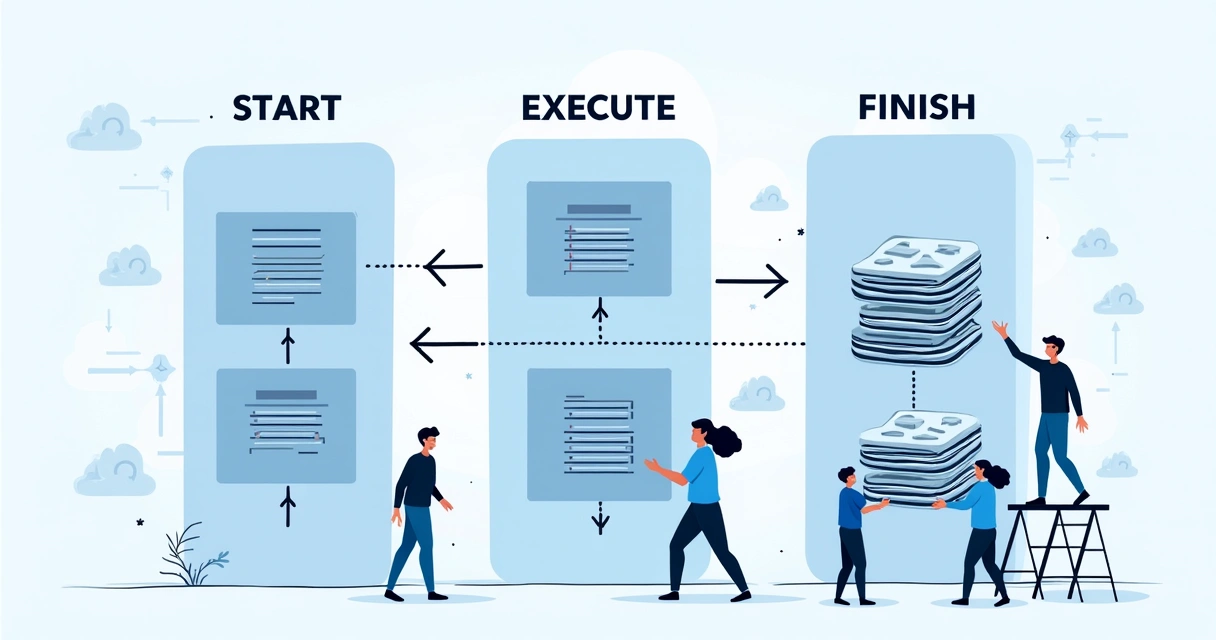
How a Batch Apex class works is almost like a recipe for large volumes. Every class implements the interface Database.Batchable
- start – Selects the records that will be processed, usually using a SOQL query or QueryLocator.
- execute – Responsible for processing each batch, where the real magic happens.
- finish – Action after processing all batches, generally for notifications, summaries or final calls.
These methods create a predictable cycle, repeated batch by batch until all records have received the required processing.
Start, execute, finish: a cycle that handles everything from small to massive.
Start: defining the universe of records
The method start is responsible for defining the records to be processed. It returns a Database.QueryLocator or a list of SObjects. When many thousands of rows are expected, it is always best to return a QueryLocator because it can process up to 50 million records, unlike traditional lists.
Execute: batch processing
With every call to this method, only a subset of records is received. The size of this batch can be customised (up to 2,000 by default) when starting the batch. Here, each record can be updated, deleted, validated or even serve as a basis for integrations with other APIs. The secret is to process only what is necessary, avoiding wasted resources.
Finish: closing the cycle
Finally, the finish method works as "post-processing." You can send a confirmation email, generate a report of changed records, or even trigger other processes.
 Practical example: data-update Batch Apex
Let us imagine a practical scenario: a company in the financial sector needs to update the field Status__c of all accounts inactive for more than 365 days. Doing this manually would be impractical, and triggers would not handle the volume. This is where a Salesforce batch example makes sense.
Automation is the only way forward when volume is unmanageable.
Commented Batch Apex class
See what this batch could look like. The comments reflect each stage of the cycle:
public class AtualizaStatusContasInativas implements Database.Batchable
The implementation above can be adapted for updates, cleanup, or other record processing, including situations requiring compliance with audit standards, which is frequent for many WeeNow clients.
How to monitor and schedule Batch Apex executions
After creating your class, it is time to run it and monitor progress. You can start the batch with anonymous code, such as:
AtualizaStatusContasInativas batch = new AtualizaStatusContasInativas();Database.executeBatch(batch, 2000); // 2000 defines the batch size
To track progress, open the Job Monitoring in Setup > Monitoring > Apex Jobs.
Want to schedule recurring execution? Implement the interface Schedulable in your class. This enables monthly, weekly or even daily runs, which are essential for continuous update processes.
Every scheduled routine needs to be monitored to avoid surprises.
Tips for avoiding common pitfalls and improving performance
Anyone who has worked with Salesforce development knows that some pitfalls are classics. See what may save you:
- Avoid select *: always retrieve only the fields needed in SOQL
- Reduce DML operations: perform bulk updates, never one at a time inside execute
- Be careful with overly broad queries: whenever possible, filter the selected records as much as possible
- Handle exceptions: wrap processing in a try/catch, recording logs in case of failures
- Size batches appropriately: batches that are too large or too small affect performance
- Do not mix complex business logic into execute: prefer helper functions
For anyone getting started with Apex, I recommend studying in greater depth at Apex for scale and later explore the specialisation in Salesforce, with examples applied in strategic sectors.
Database.QueryLocator and large data volumes
The use of Database.QueryLocator allows the batch to handle up to 50 million records without exploding memory consumption. This is decisive for areas such as public administration and healthcare, which handle enormous volumes, as shown by research into large-scale data analysis in the public administration.
Generally speaking, use QueryLocator whenever you SUSPECT you will go into the thousands. For small quantities, returning a list may be faster, but above 50,000, only QueryLocator will do.
When is it worth using batch stateful?
By default, each batch execution does not retain data state between batches. However, when you truly need to accumulate information throughout the entire run (such as totals, temporary collections, or global statuses), implement the interface Database.Stateful.
Just do not overdo it: retaining too much information can exceed heap limits. Use this capability only when the logic truly requires it, such as when calculating totals or processing record groups.
Pay attention to governor limits
Salesforce imposes limits on both the batch and each batch chunk. In every run (execute), respect the limits of 10,000 DML records and 50,000 SOQL queries. Important: these limits are renewed with every batch.
If limits are reached, the relevant chunk fails, but the others continue normally. Therefore, handle exceptions and, if necessary, reduce the batch size.
- Limit per batch job: 5 simultaneous in Professional Edition, 100 in Unlimited.
- A user can schedule up to 5 recurring jobs.
Business use cases: when to apply Batch Apex
In practice, batches are typical solutions for:
- Mass data migration between systems, reducing failures caused by excessive volume
- Periodic cleanup of old records, such as inactive leads or duplicate contacts
- Cascading updates of prices or contractual terms
- Automated generation of management reports with substantial volumes
The WeeNow team has already implemented cases involving integration with external APIs, detailed in content such as Salesforce integrations. These are essential strategies for adapting Salesforce to the real dynamics of finance, education and agriculture.
 Strategies for getting started
It is not only about knowing code, but also understanding the impact of processes on the company. Anyone working in Salesforce development can start by studying the basics at Salesforce developer career and follow practices that respect processes, security and log clarity.
Batch application needs to be planned and monitored closely, as suggested by Digital Government data-science guideline. After all, data reputation is a central topic in several studies such as public-data analysis in São Paulo.
Complement your learning: getting to know WeeNow and reliable sources
Documentation does not always cover the nuances of corporate day-to-day work. Consulting teams such as WeeNow accumulate practical experience across industries, adapting strategies for Salesforce data, AI automation, transactional integrations and outsourcing. Learn more about Salesforce can open doors to customised, secure solutions capable of supporting any company's growth.
 Final thought: why learning Batch Apex transforms businesses
What seems like "just another technical task" is not always seen as the fundamental step towards scalability. Often, understanding how to split processes into batches has been decisive for teams to deliver high-impact results. By mastering batches, programmers and analysts become invisible agents of transformation, connecting business and IT, staying aligned with current challenges, and ready for future opportunities.
If you want to improve flows, integrate systems, automate routines and learn about solutions that are truly connected to Salesforce, count on WeeNow. Implement automations that genuinely impact results. The future of companies belongs to those who learn to build in the present.
Frequently asked questions about Batch Apex in Salesforce
What is Batch Apex in Salesforce?
Batch Apex is an Apex programming capability in Salesforce designed to process large data volumes in smaller portions (batches), working around platform limits and allowing repetitive tasks, mass updates and periodic cleanup to run without excessive resource consumption. It divides the full operation into cycles using three main methods: start, execute and finish.
How do you create a batch in Salesforce?
To create a batch in Salesforce, you need to develop an Apex class that implements the interface Database.Batchable and define the start, execute, and finish methods. Start selects the records, execute processes them by batch, and finish handles final operations. After publishing the class, simply run it through anonymous code or schedule it through the interface. Proper batch-size planning and data selection are important steps to ensure efficient processing.
What is a Batch Apex example for?
Batch Apex examples guide developers on how to structure classes that process many records at once, whether for data cleanup, mass updates or automating administrative routines. A well-documented Salesforce batch example serves as a basis for adaptation in any industry, making learning and business applicability easier, whether in finance, education or retail.
What are the best Salesforce batch examples?
The best Salesforce batch examples usually solve real business problems, such as cleaning up old data, updating fields based on business rules, calculating totals or automatically generating reports. Batches are also common in integration processes when thousands of rows must be reconciled with external systems such as APIs.
When should you use Batch Apex in Salesforce?
Batch Apex is recommended whenever a task involves very large record volumes (above a few tens of thousands), such as migrations, periodic cleanups, bulk updates, or integrations with other systems. It allows the company to keep automations efficient without violating platform limits and is vital for scenarios where scalability is a priority, especially for WeeNow clients operating in industries such as energy, education, and retail.
Continue reading
Related posts

Salesforce CPQ: when to choose native, integrated, or customised?
Compare CPQ architectures in Salesforce, understand the legacy status, and assess integration, Brazilian tax requirements, and total cost over 36 months.

Service Cloud: what it is, how it works and when to use it
Understand Service Cloud, now presented as Agentforce Service: use cases, channels, SLAs, AI, integrations and criteria for evaluating your operation.

CRM integrated with WhatsApp: how to integrate without replacing your system
CRM integrated with WhatsApp means connecting WhatsApp's official API to the CRM you already use, without replacing your system. See the models, risks and how to do it in Salesforce.